Two accounts in one Mac app
Run a second copy of Claude, Slack, Discord, Chrome and more — each signed into a different account. Keep work and personal open side by side.
Download for Mac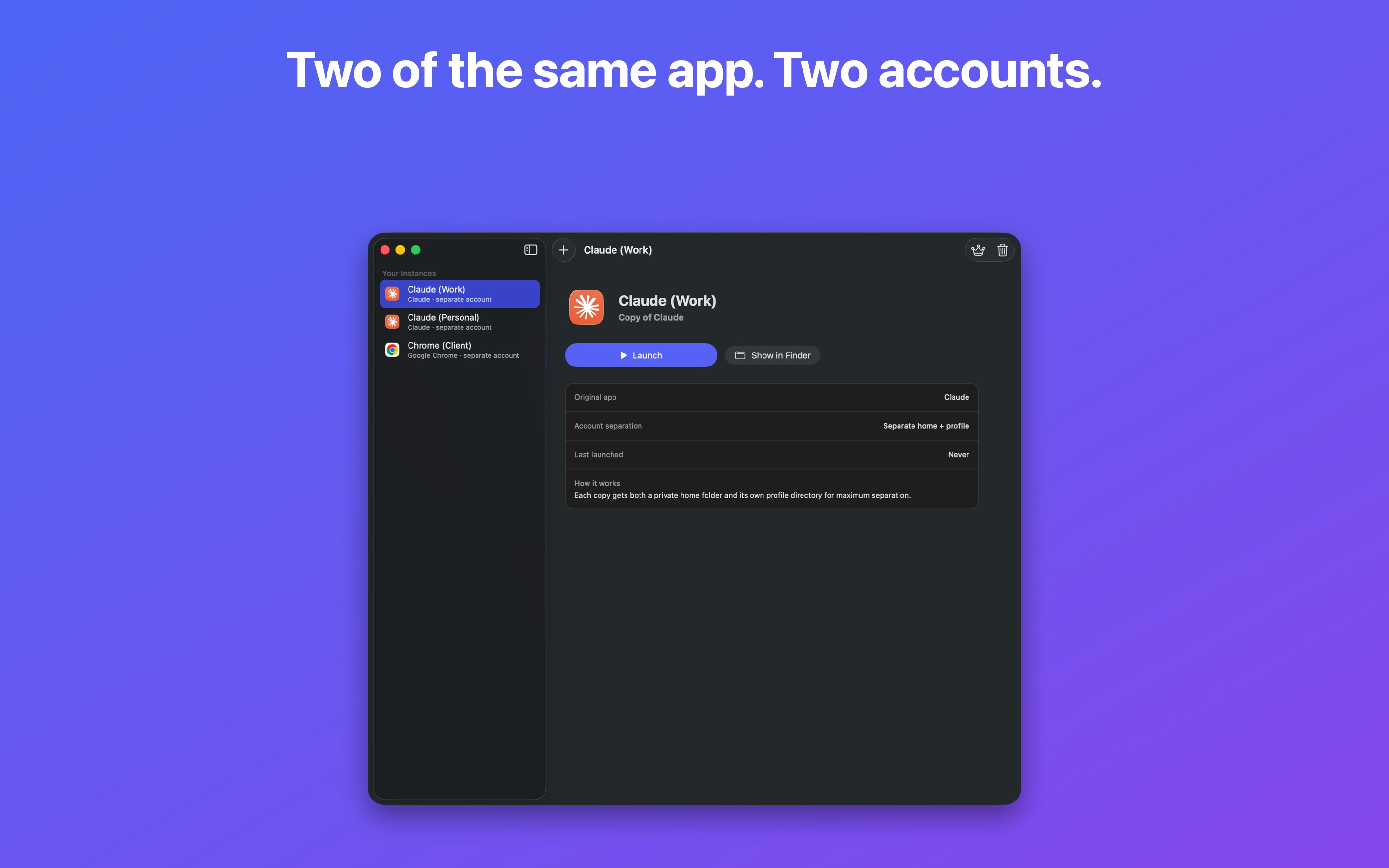
How it works
Duplikit never copies or modifies the original app. It opens your installed app with its own private profile — so a second copy can sign in to a completely different account.
Add an app
Pick any app from your Applications folder — Claude, Slack, Chrome, and many more.
Name the copy
Call it “Claude (Work)” or “Slack (Client)” so you always know which is which.
Launch it
Open the copy with its own private login. Both accounts run at once, on the same Mac.
Works with your favourite apps
Apps built on Electron, Chromium and ToDesktop get a fully separate account.
✅ Separate account
- Claude
- Slack & Discord
- Google Chrome, Edge, Brave
- VS Code & Cursor
- Notion
- …and many more Electron / Chromium apps
↗︎ Extra window only
- Apps from the Mac App Store
- The Mac Catalyst build of WhatsApp
- Most plain native Mac apps
macOS keeps these apps’ data locked to the original copy, so copies share one account. Duplikit tells you up front when you add the app.
Tip: If an app is “extra window only”, check whether the developer offers a direct download from their website — those versions usually can have a separate account.
Simple pricing
Start with a 7-day free trial. One plan unlocks everything — unlimited copies, separate accounts and future updates.
How licensing works: after you subscribe, you’ll get a license key by email. Download Duplikit, click “I already have a license key” on the welcome screen, and paste it in. No account or sign-in needed — your key is verified right on your Mac.
Manage your subscription
Cancel or update your plan any time — there’s a link in your purchase receipt, and you can also reach the billing portal below. Your access continues until the end of the paid period.
Frequently asked questions
Does Duplikit copy or change the original app?
No. It opens your existing app with its own private data folder. The original is untouched and keeps updating normally.
Will the copies stay logged in?
Yes. Each copy keeps its own login and data between launches, just like the original.
How are the copies shown in the Dock?
Because Duplikit runs the genuine app, every copy shares the original app’s Dock icon and name. You manage and launch your named copies from inside Duplikit.
Is my data private?
Completely. Everything stays on your Mac. Duplikit has no servers and collects no personal data. See the Privacy Policy.
Why isn’t Duplikit on the Mac App Store?
The App Store sandbox prevents an app from giving another app a separate profile, so a sandboxed version literally can’t do what Duplikit does. Distributing directly (notarized by Apple) is the only way it works — and it’s just as safe.
Do I need the other app installed?
Yes — Duplikit launches apps you already have. Install Claude, Slack, Chrome, etc. the normal way first, then add them in Duplikit.
Can I use one license on more than one Mac?
Yes — your license works on your Macs. Just paste the key on each one.
Support
Questions, bugs or ideas? Email mwsupplylimited@gmail.com with your macOS version and the app you were duplicating. We read every message.